
Guards of Atlantis II Big Box Insert - Part Two
If you have not checked out Part One, Look here: Guards of Atlantis II - Big Box Insert - Part One
Summary: Further work has been done on developing level and attribute trackers.
Life got busy but I finally found some time to get back to work on my GoAII Big Box Insert. A quick look at where I left the insert revealed I was not happy with how my attribute & level tracker was going so I revisited it with fresh eyes. What was wrong? It would not fit in the box as I had planned, and I was not happy with how the attribute info was being displayed.Where we are going...
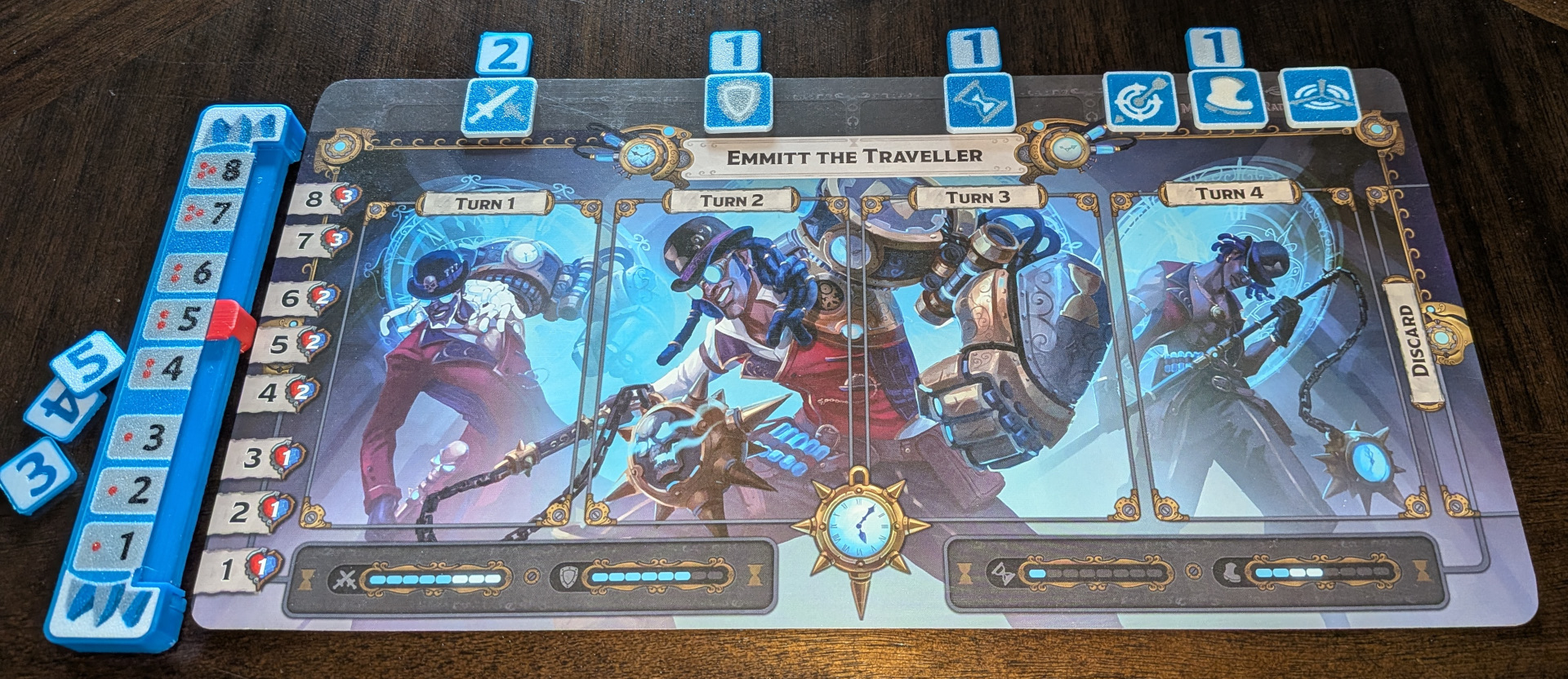
For those of you who want to see the final result:
Where it all started...
For those of you interested in how I got to this point.
GoAII tracks certain attributes when you level up by flipping the cards upside down, turning them into "items" that increase specific attributes (Attack, Defense, Initiative, Range, Movement, and Radius). The game does this by inserting the "item" card along the top of the player mat which has been divided into 4 sections. Attack, Defense, and Initiative are the first 3 slots leaving the Range, Movement, and Radius attributes condensed into the final 4th slot. While this system works, it is not a great solution (in my opinion) since the slot icons and card icons are either low contrast, quite small, and/or very difficult to see from across a table. The heroes level is also tracked using a sliding card on the left hand side. This works but if the player mat moves, the level indicator becomes misaligned and needs to be fixed by the player.
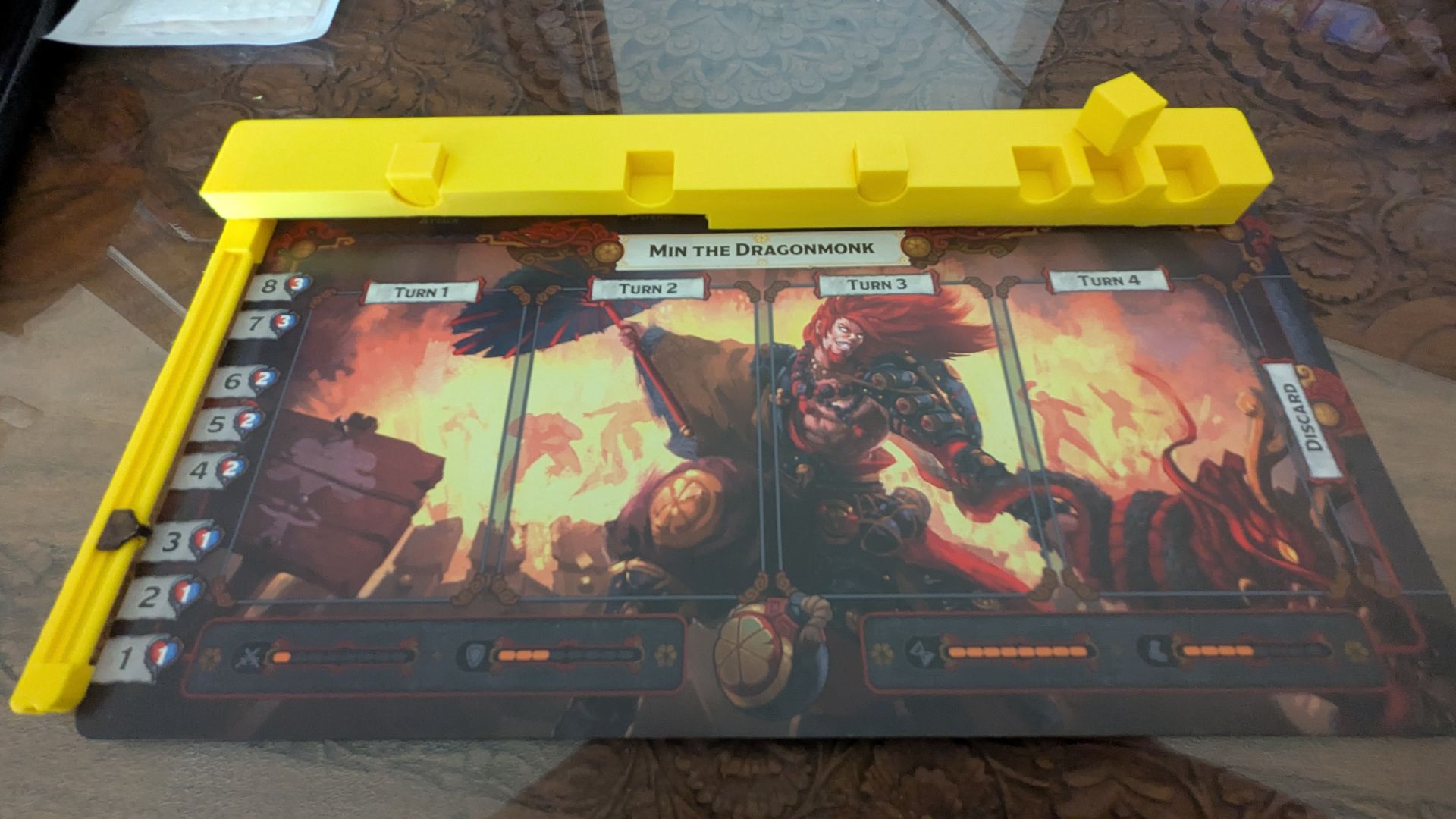
I was inspired from a post on Board Game Geek where a user had created an attribute tracker placed across the top of the mat using dice. This was cool but I disliked the idea of storing 12 of these tracker bars in the box, along with a bag full of dice. That is a lot of box space that could be used to store more heroes. I thought storing the dice inside of the tracker would be a big improvement. Further more, I thought I could integrate an improved level tracker, solving the attribute issues and level tracking with the one component. Here is my initial design:
Keys things I was concerned with:
• Replace the hard to see player mat attribute icons
• Each Tracker had to hold all relevant components (dice and level tracker)
• Identify what level the hero is at
• Hold six dice (1 for each attribute)
• Fit in the box as compactly as possible
My design check marked most of these issues.
1. The tracker extends across the whole top of the player mat making it more obvious as to what attributes had been changed.
2. A swinging "door" that opens and becomes the hero level marker. This door keeps the dice stored inside of the tracker when in storage mode.
3. The 6 attributes are clearly identifiable based on the dice slot.
4. All Dice would be stored in the tracker when not being used.
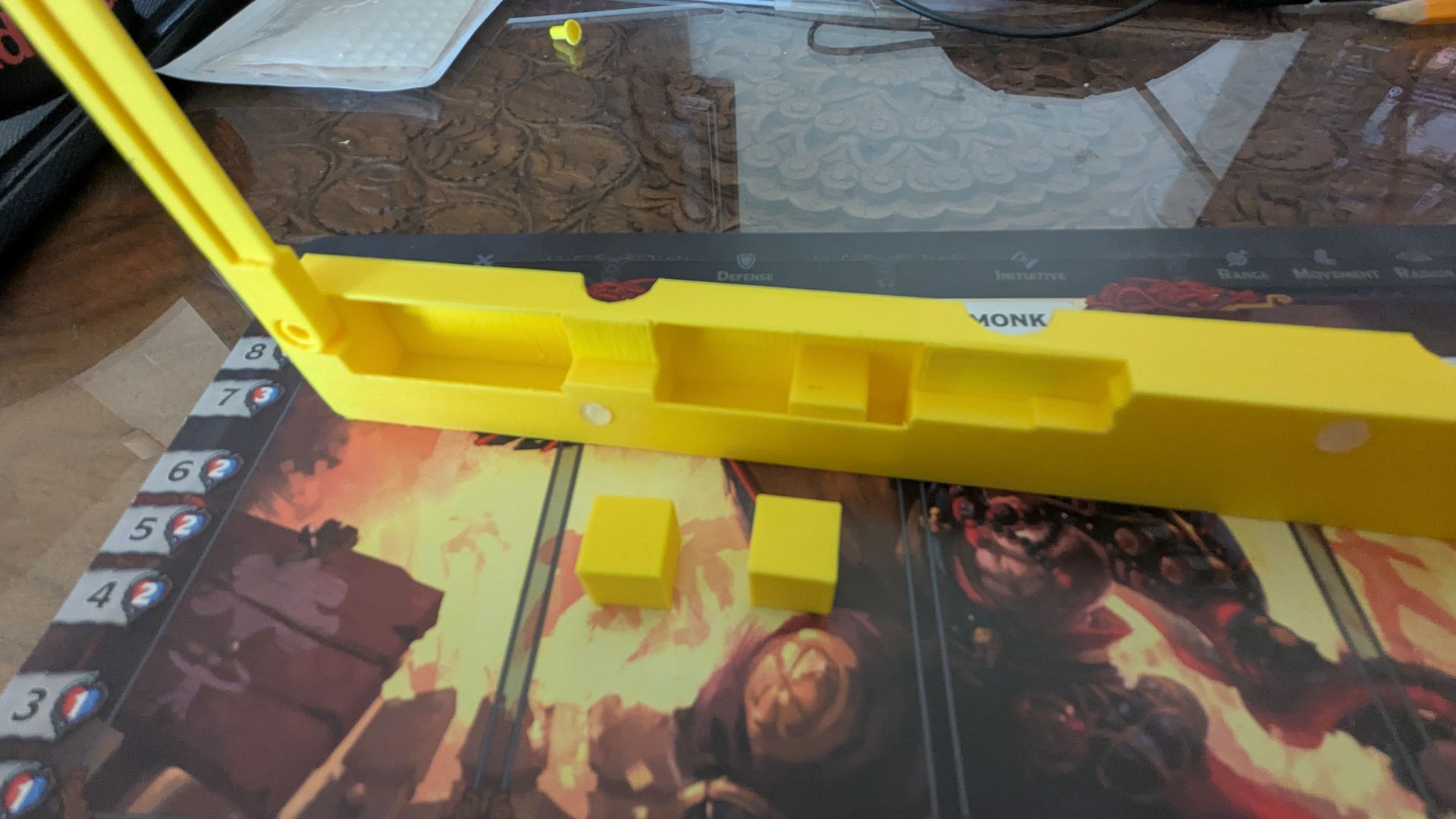
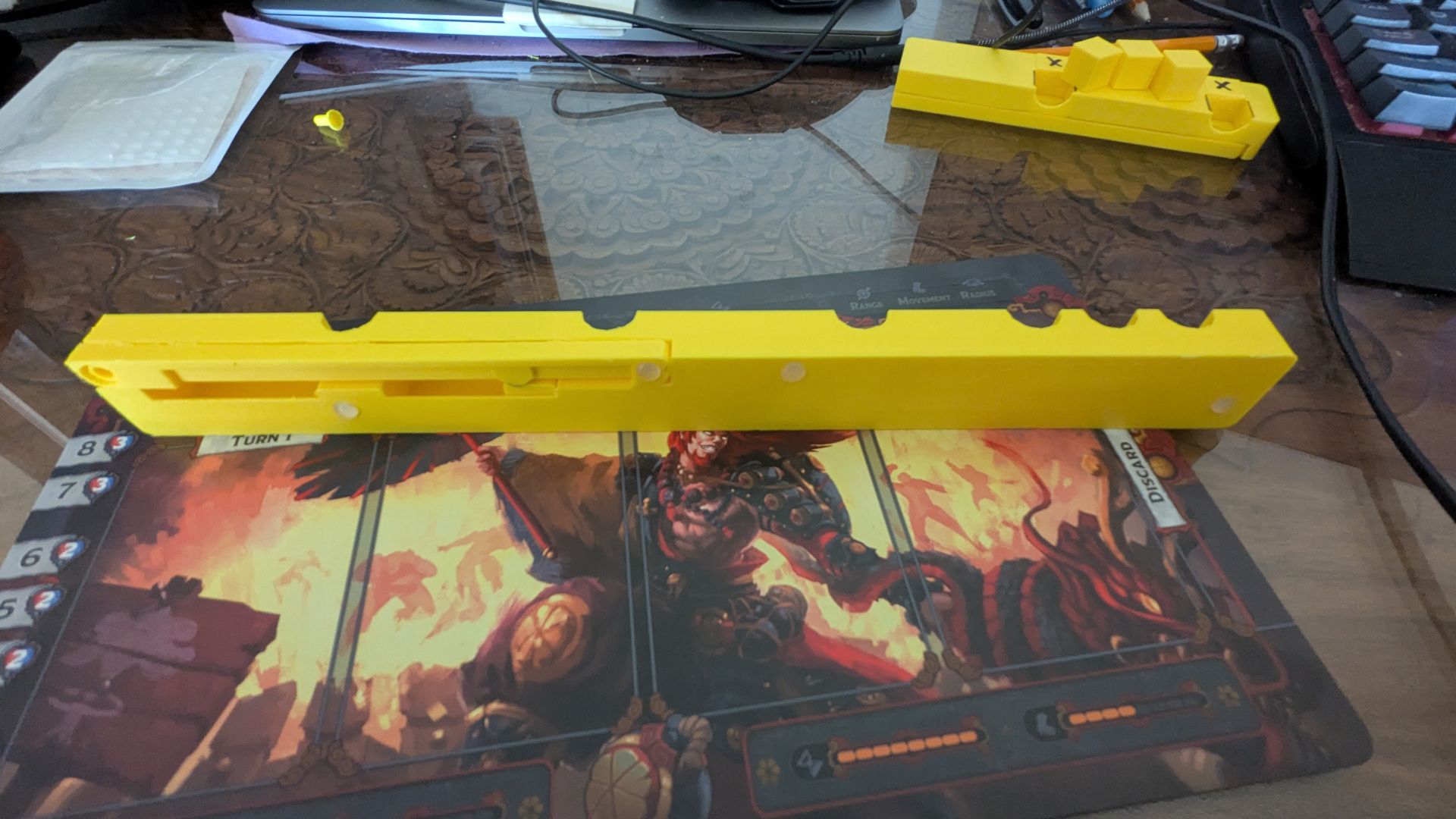
After 3D Printing this version, I realized I had a few issues.
Tracker #1 Issues:
The size of this tracker was going to be an issue with fitting 12 of them (6 Orange & 6 Blue) in the main box. While this is being designed for the 1st edition big box, I did not want all that extra space to be filled by these trackers. So the tracker needed to be shrunk in length.
The dice are large and forced the tracker to be thicker for storing the dice. This thickness created a new issue where it blocked the view of the top of the cards being played by your opponents. There was a high probability everyone would have issues seeing the initiative numbers of everyone. This was unacceptable. Making the tracker as thin as possible became very important.
Keeping the tracker aligned with the player mat was fidgety. Adding rubber feet to the tracker helped stabilize the level tracker positioning but did not resolve the player mat from sliding (nothing would).
Tracker #2 Improvements from Tracker #1:
So The above issues forced me to revisit the tracker and make some changes.
First of all, the dice needed to go as having 6 dice with 6 sides (36 total numbers) was a waste. A hero could be leveled up 7 times (level 1 to level 8). Only 6 updates are required (level 1 to level 7) with the 7th leveling up being the ultimate upgrade which does not give an attribute update. Therefore we are limited to 6 upgrades which greatly reduces the total number of possibilities. Lets work out all the states that could be reached:
With 6 attributes (Attack, Defense, Initiative, Range, Movement, and Radius) that can be upgraded, and 6 possible upgrades, this results in the following states:
1. If every attribute was upgraded once, each of the 6 attributes would be "1" at the end of the game. This results in a final state of: 1 - 1 - 1 - 1 - 1 - 1
2. If one attribute was upgraded twice, and only 4 of the remaining 5 attributes were upgraded once, we would have: 2 - 1 - 1 - 1 - 1
3. If one attribute was upgraded three times, and only 3 of the remaining 5 attributes were upgraded once, we would have: 3 - 1 - 1 - 1
4. etc...
So all possible state combinations can bee seen as:
| 1 | 1 | 1 | 1 | 1 | 1 |
| 2 | 1 | 1 | 1 | 1 | |
| 2 | 2 | 1 | 1 | ||
| 2 | 2 | 2 | |||
| 3 | 1 | 1 | 1 | ||
| 3 | 2 | 1 | |||
| 3 | 3 | ||||
| 4 | 1 | 1 | |||
| 4 | 2 | ||||
| 5 | 1 | ||||
| 6 |
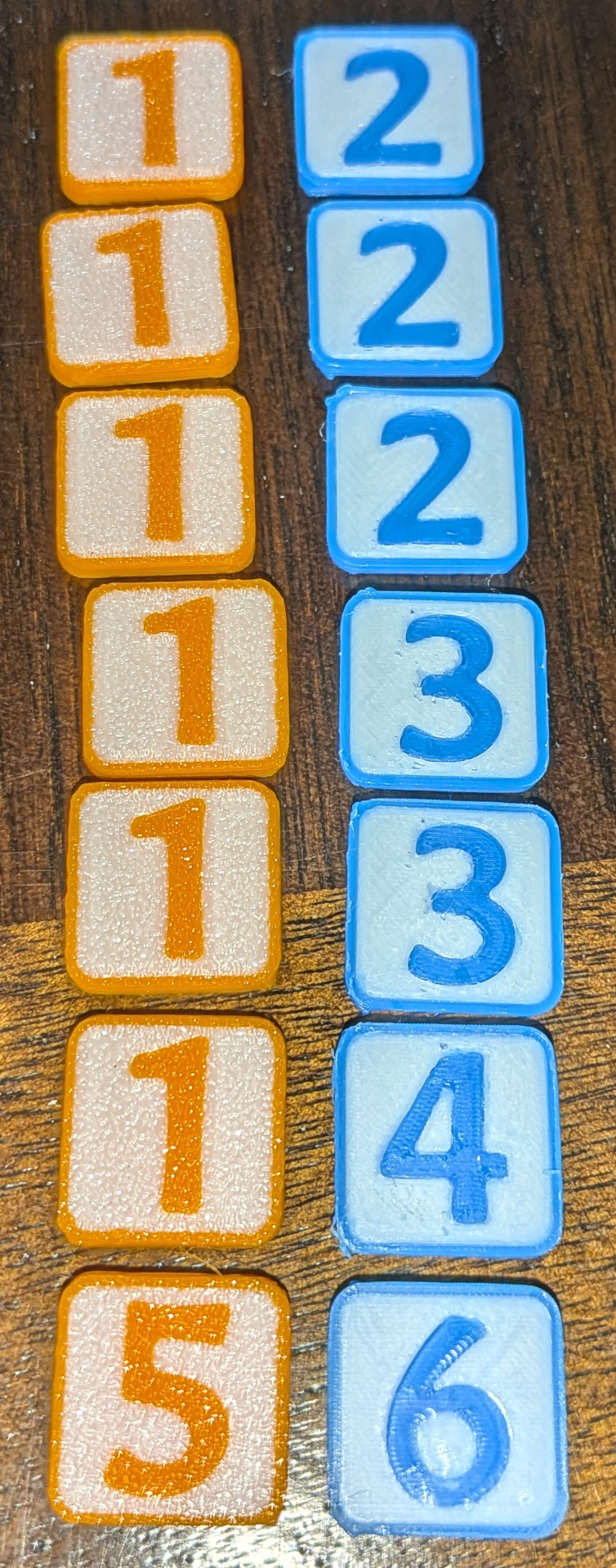
Breaking the above number states down to the minimum double sided tokens, all states can all be created using 7 double sided tokens:
1 and 2
1 and 2
1 and 2
1 and 3
1 and 3
1 and 4
5 and 6
With these 7 tokens, all possible combinations of a hero's upgraded attributes could be covered.
I made a set for blue and orange as shown in the image below with orange showing the front number and the blue showing the back number. Each player will get these 7 tokens in their colour to use during play.
By removing the dice and going with 7 thin tokens, the tracker could be shrunk down which would help with fitting 12 of them into the box and potentially resolving the issue of not seeing the top of each opponents initiative card numbers.
At this point it occurred to me that maybe we don't need a long tracker across the top. Maybe that info could be moved to the side? So I moved the tracker to the left side and updated the swing door to integrate the level tracking into it. I made up a prototype to see how it would work.
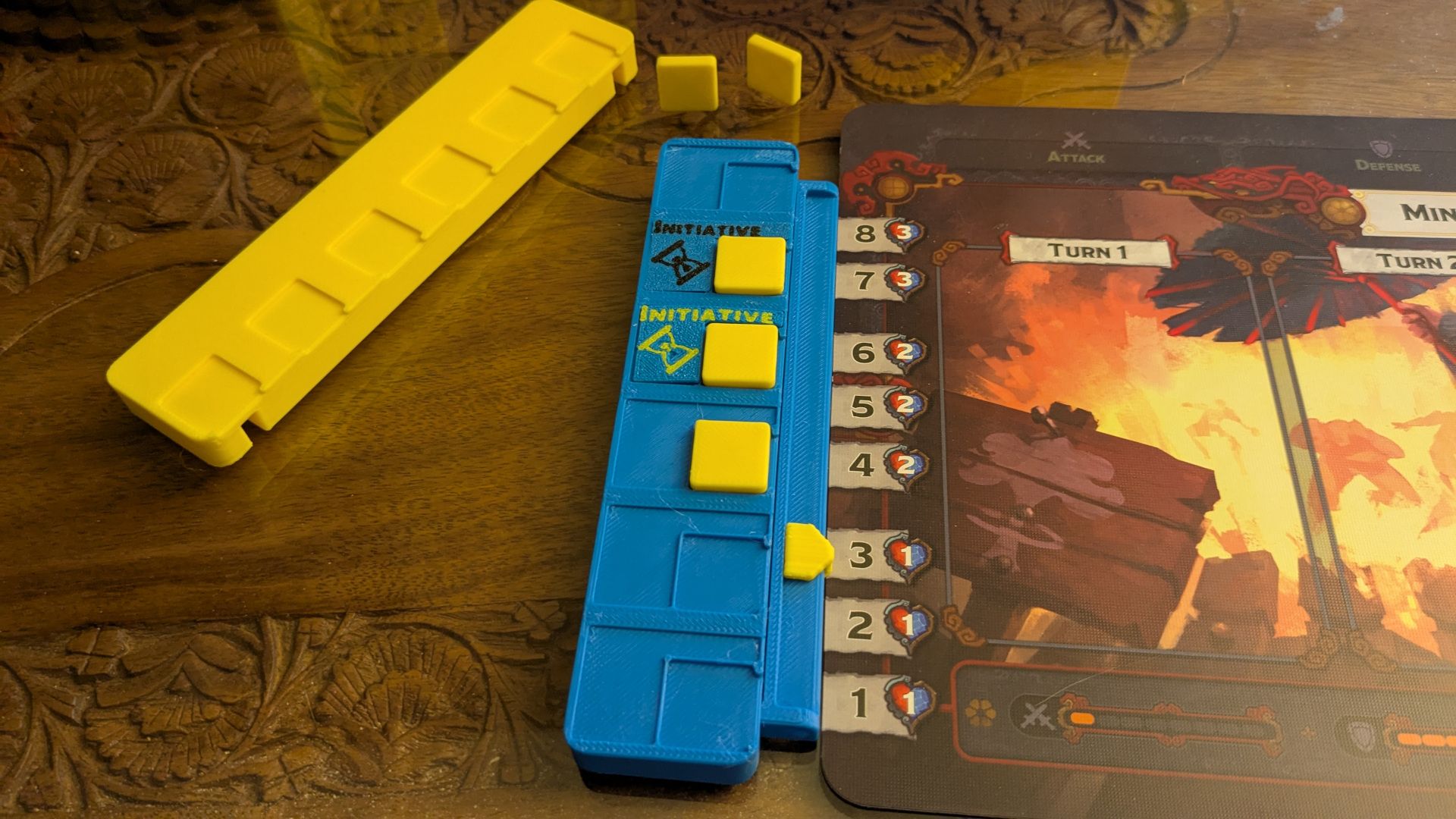
I used the same idea in Tracker #1 with its folding door to hold the tokens in storage in this revised version.
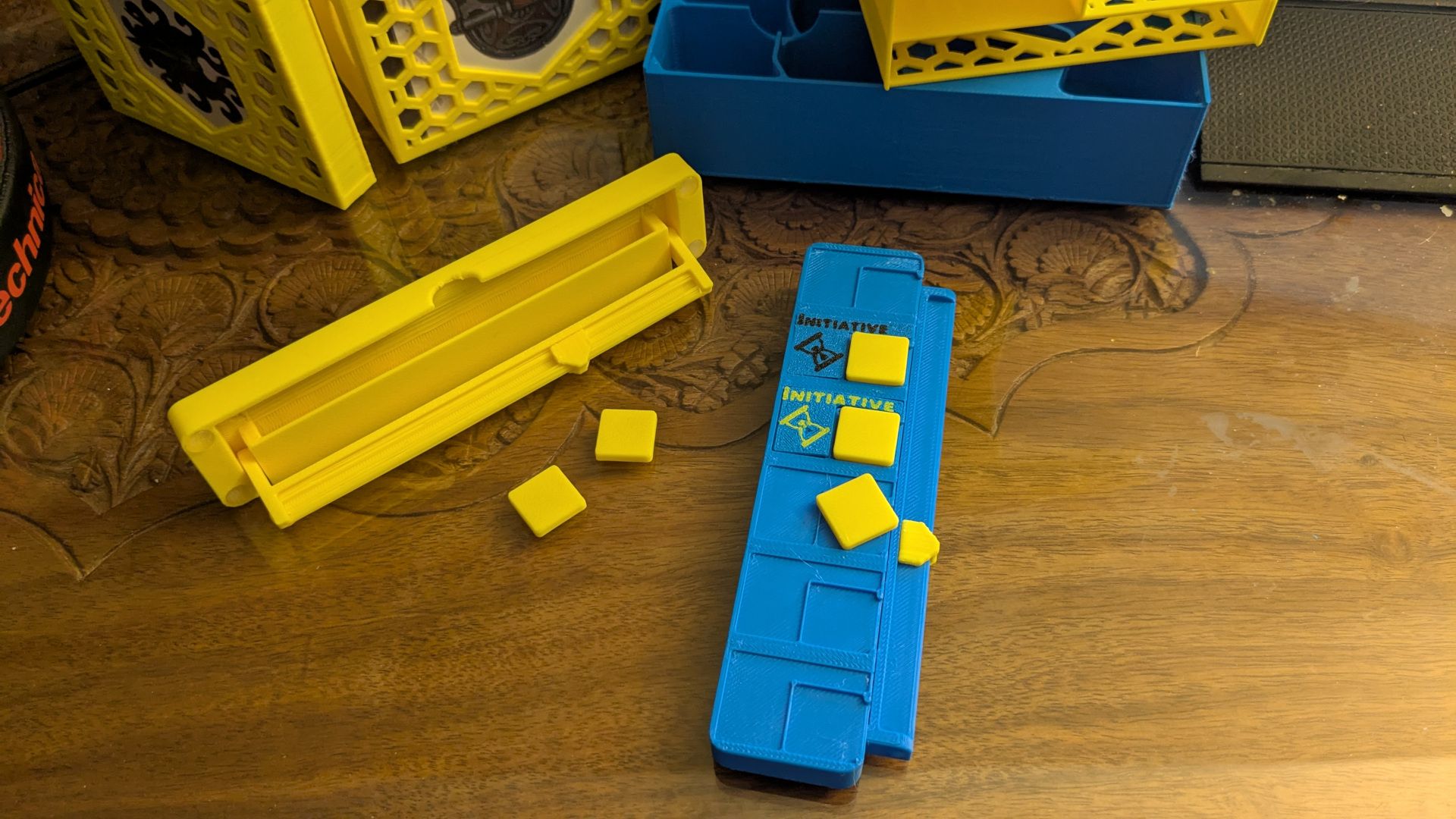
This update fixed most of the issues I had with the first version. Was this it!? Nope!
Tracker #2 Issues:
After playing with it a bit, I figured out it was still too thick to be able to store 12 of them in the box in the space I had allocated for them. Further changes were needed!
1. Too thick so 12 of them would not fit in the box properly for storage.
2. Moving the attribute upgrades to the side was difficult to read from across the table. One of the advantages of having the attributes across the top was that their positioning helped make it obvious as to what increases a player had. These attributes stuffed in a tight column was not as easy to read as I had hoped. The upper recessed area for the attributes to sit in also made the tracker thicker which did not help with issue 1.
3. The level tracker was way more sturdy but any movement of the player mat would result in the level identifier being unknown.
Tracker #3 Improvements from Tracker #2:
As much as I wanted the upgraded attributes positioned on the tracker, it became obvious to me that it would work better if we stuck to the top of the player mat showing the attributes but we had the make it more obvious obvious which attributes were what. That led me to creating 6 large, high contracts attribute icons that would be placed along the top and still store in the main tracker. The double sided number tokens would still be used and placed above the relevant attribute token.
The level tracker was upgraded to display the level itself so it did not depend upon proper placement beside the player mat. Since the tracker now had its own level numbers built in, if the tracker is bumped during the game, it is still easy to identify what level the players hero is at.
So I now had 6 Attribute Tokens and 7 upgrade number tokens to store in the tracker. The thickness of the tokens would determine what the thickness of the tracker would be so I was able to play with that to get the trackers down to size so that 12 of these updated trackers would fit in the box nicely.
Here is what a players mat will look like using my new trackers:
For storing everything, the back of the tracker has a swing door that opens to hold the six attribute tokens. Note that the level tracker is no longer part of the door.
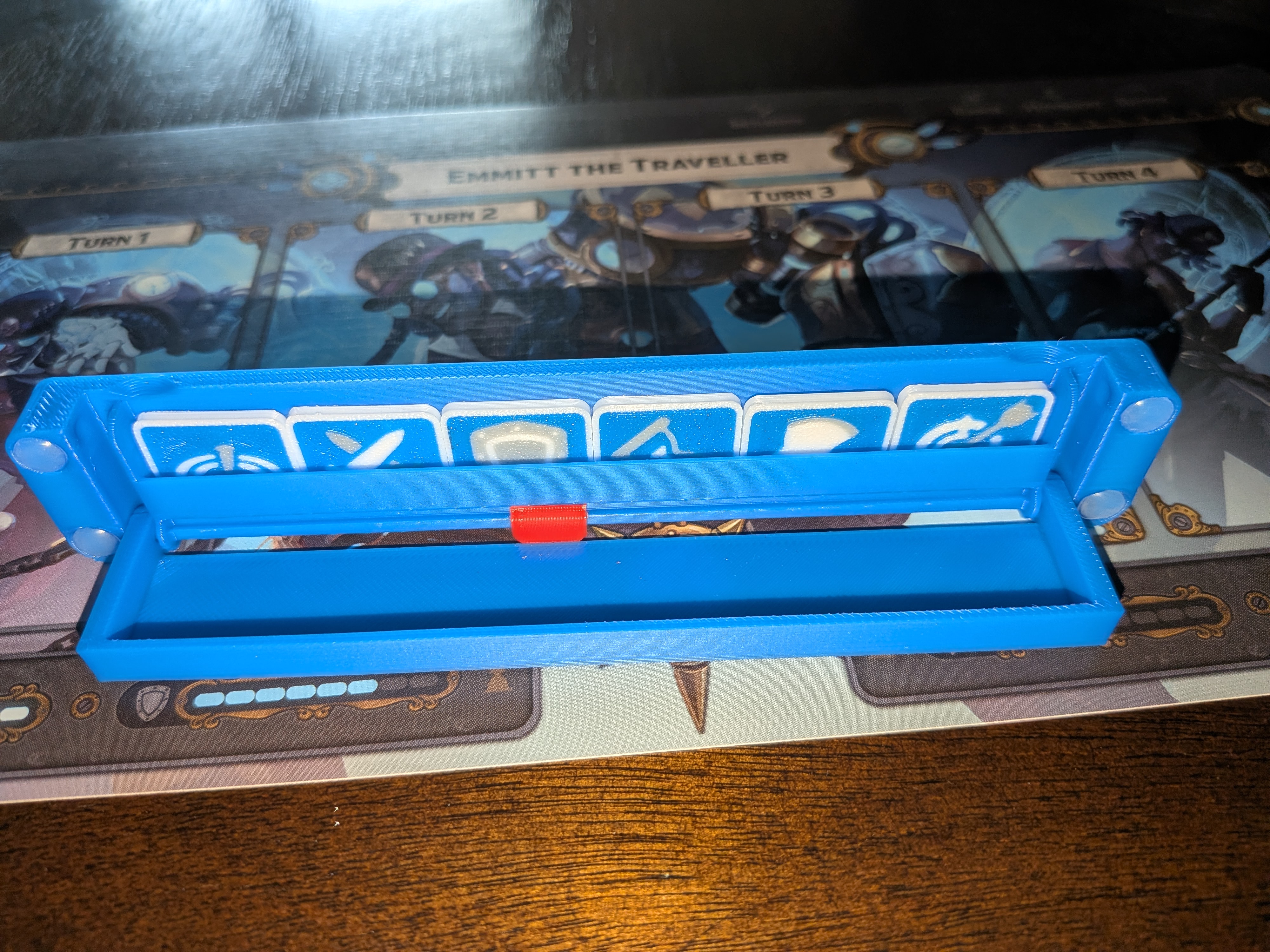
Once the attribute tokens are in place, the seven number tokens can be placed beside them.
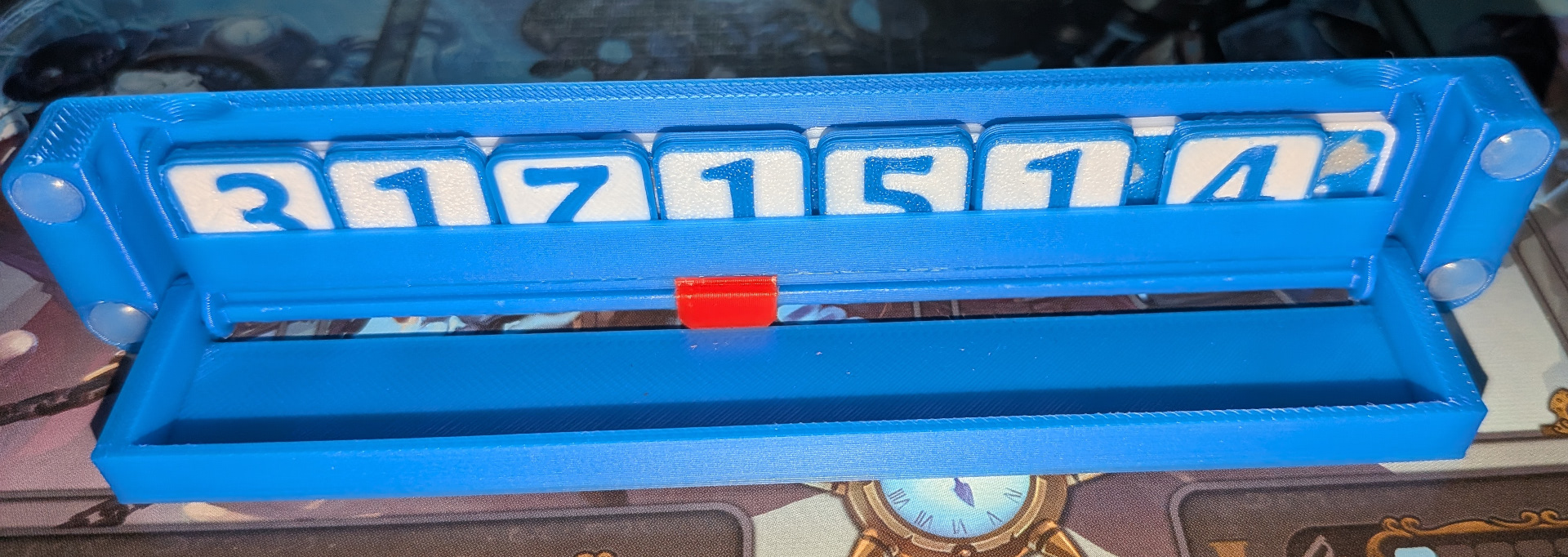
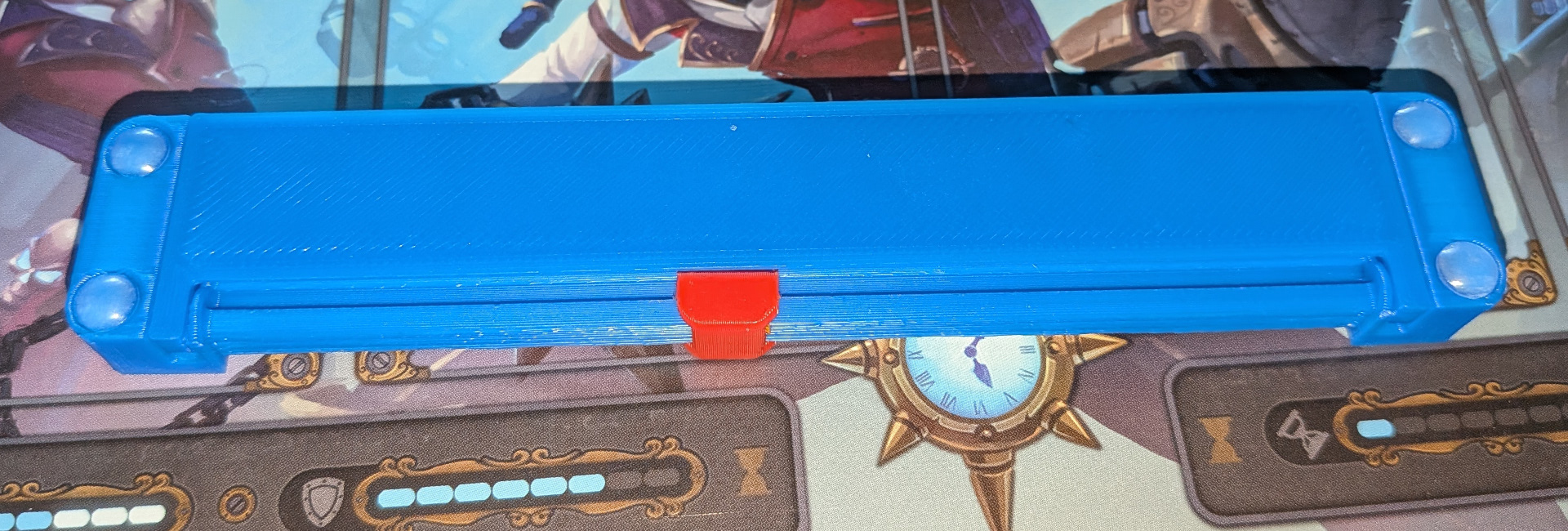
The door closes keeping all tokens secured. The slider is flush with all sides so that the trackers can be stored in a 2 x 3 stack of blue and a 2 x 3 stack of orange in the box.
With the trackers taken care of, I will next revisit the blue/orange team boxes and clean them up a bit. After that I will likely add rocky terrain for the game board that stores nicely in the box.
Be kind to one another, celebrate our differences, and remember to share our love of board gaming. Let's keep that front and center.
Till Next Time!

Comments
Write a comment